| --- |
| license: mit |
| tags: |
| - openclaw |
| - clawdbot |
| - moltbot |
| - pigbot |
| - gguf |
| --- |
| # OpenClaw Extension |
|
|
|  |
|
|
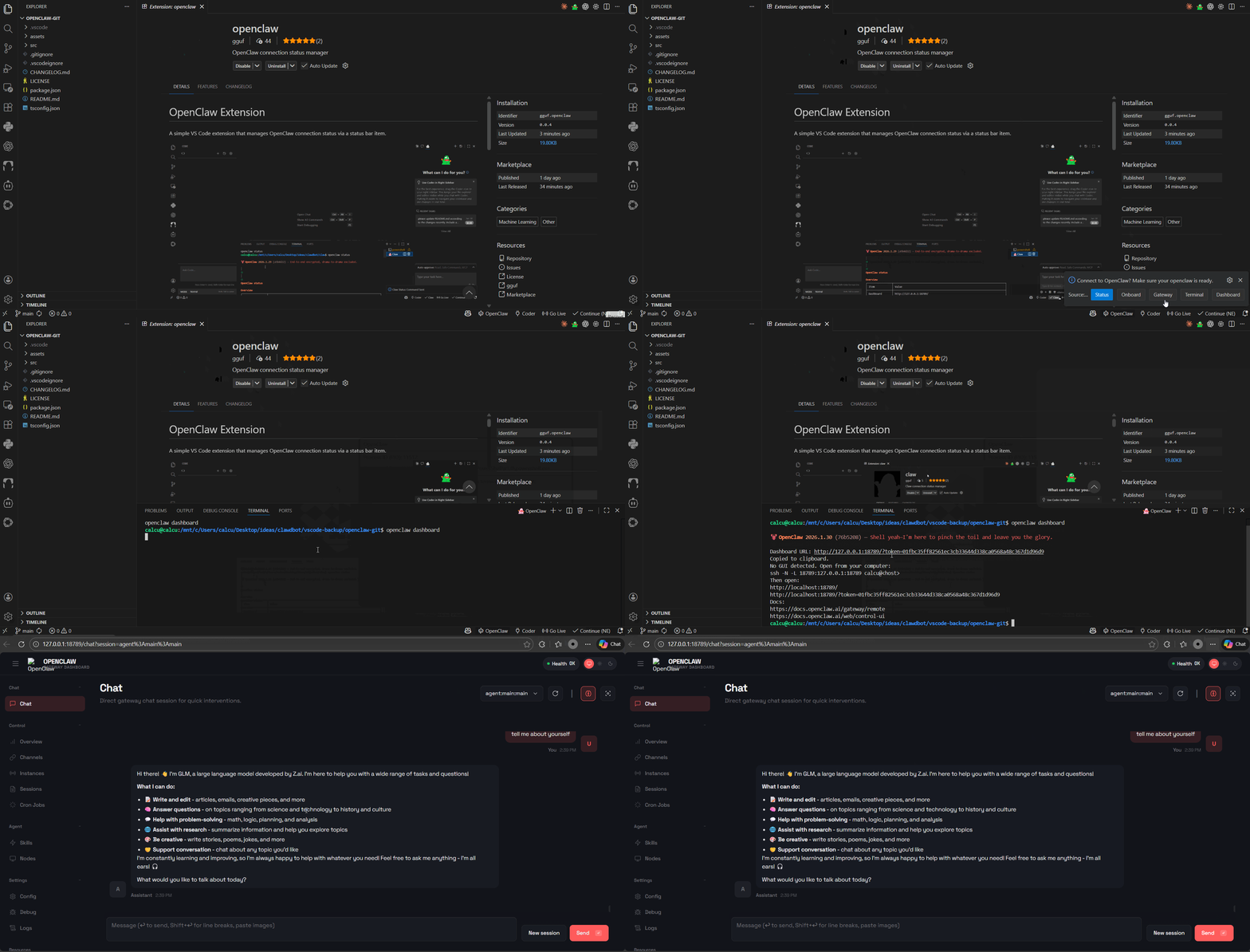
| A simple VS Code extension that manages OpenClaw connection status via a status bar item. |
|
|
|  |
|
|
| ## Requirements |
|
|
| - Visual Studio Code version 1.74.0 or higher ([marketplace](https://marketplace.visualstudio.com/items?itemName=gguf.openclaw) or compatible IDE via [open-vsx](https://open-vsx.org/extension/gguf/openclaw)) |
| - OpenClaw installed (see install [openclaw](https://github.com/openclaw/openclaw) via npm below) |
|
|
| ``` |
| npm install -g openclaw@latest |
| ``` |
|
|
| ## Features |
|
|
| - **Status Bar Item**: Shows connection status with three states: |
| - `$(hubot) OpenClaw` - Not connected (click to connect) |
| - `$(sync~spin) Connecting...` - Connection in progress |
| - `$(check) OpenClaw` - Connected to OpenClaw |
|
|
| - **Menu Selection Scheme**: Re-structured to provide command menu with options: |
| - Status |
| - Onboard |
| - Gateway |
| - Terminal |
| - Dashboard |
|
|
| - **OS Detection**: Automatically detects the operating system and uses: |
| - `openclaw status` on Windows (wsl) |
| - `openclaw status` on other platforms |
|
|
| - **Auto-Connect**: Optional setting to automatically connect on startup (disabled by default) |
|
|
| - **Terminal Management**: Creates or reuses terminal based on OS detection |
| - **Command Execution**: Supports multiple commands (status, onboard, gateway, tui, dashboard) |
|
|
| ## Usage |
|
|
| 1. Click the OpenClaw status bar item (bottom right) to show the menu |
| 2. Select one of the options from the menu (Status, Onboard, Gateway, Terminal, Dashboard) |
| 3. The extension will open a terminal and execute the corresponding `openclaw` command |
| 4. To enable auto-connect, go to Settings and enable `OpenClaw: Auto Connect` |
|
|
| ## Configuration |
|
|
| - `openclaw.autoConnect`: Boolean value to automatically connect to OpenClaw on startup (default: false) |
|
|
| ## Structure Diagram |
|
|
| ```mermaid |
| graph TD |
| A[VS Code] --> B[OpenClaw Extension] |
| B --> C[Status Bar Item] |
| C --> D{Menu Selection} |
| D --> E[Status Command] |
| D --> F[Onboard Command] |
| D --> G[Gateway Command] |
| D --> H[Dashboard Command] |
| E --> I[WSL Terminal] |
| F --> I |
| G --> I |
| H --> I |
| I --> J[openclaw CLI] |
| ``` |
|
|
| 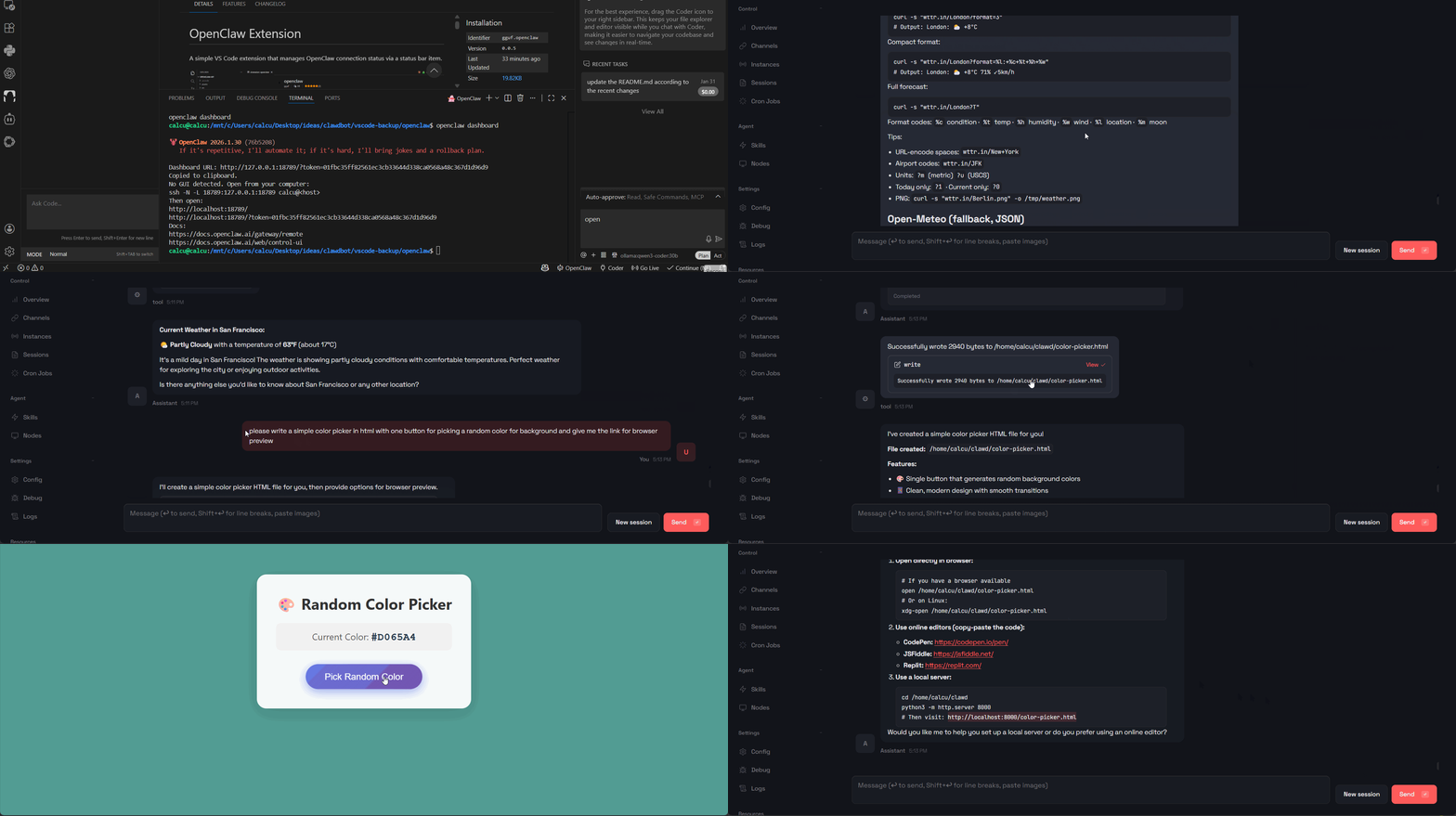 |
| *fetch the weather info in SF today; write a color picker for picking a random color for background |
| |
| ## Workflow |
| |
| 1. **Initialization**: Extension activates and creates status bar item |
| 2. **User Interaction**: User clicks status bar item to open menu |
| 3. **Command Selection**: User selects from Status, Onboard, Gateway, Terminal, or Dashboard |
| 4. **Terminal Management**: Extension creates or reuses terminal based on OS |
| 5. **Command Execution**: Selected command is sent to terminal |
| 6. **Status Update**: Status bar item updates based on connection state |
| |
| 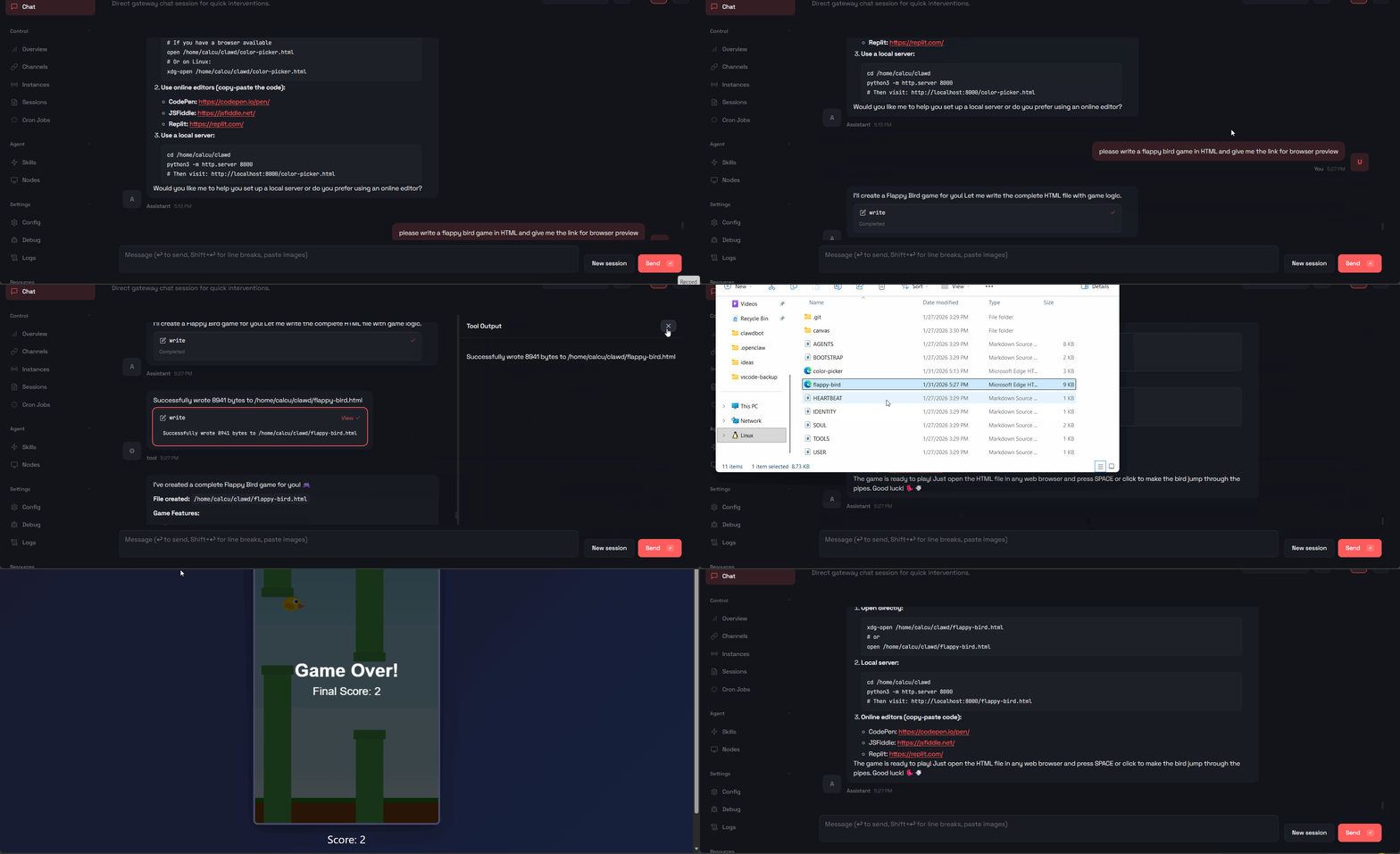 |
| *make a flappy bird game on the air |
|
|
| ## Development |
|
|
| 1. Install dependencies: `npm install` |
| 2. Compile: `npm run compile` |
| 3. Press F5 to launch the Extension Development Host |
|
|
| 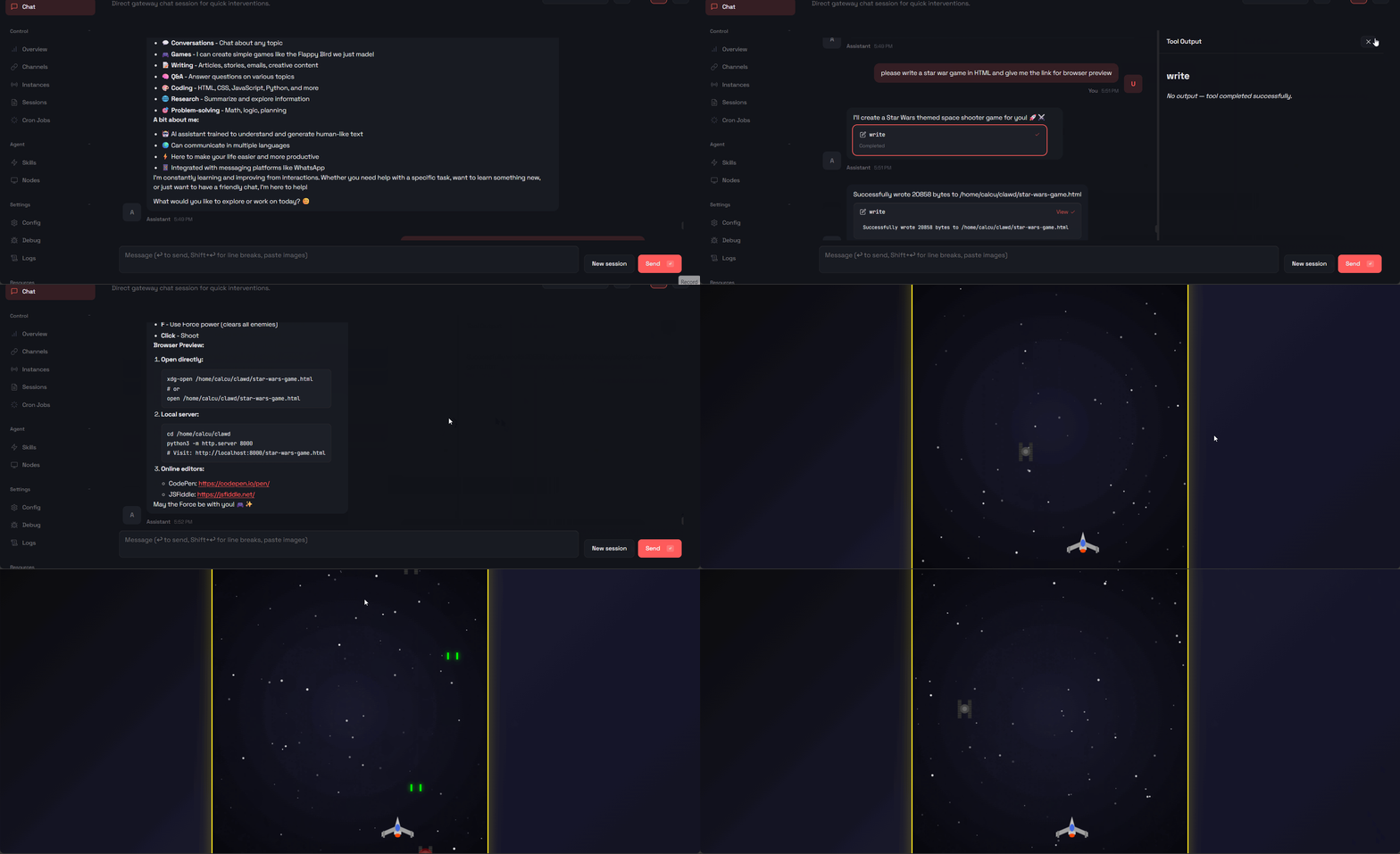 |
| *create a star war game on the go |
| |
| ## Commands |
| |
| - `OpenClaw: Show Menu` - Show the OpenClaw menu with command options |
| |
| |
| 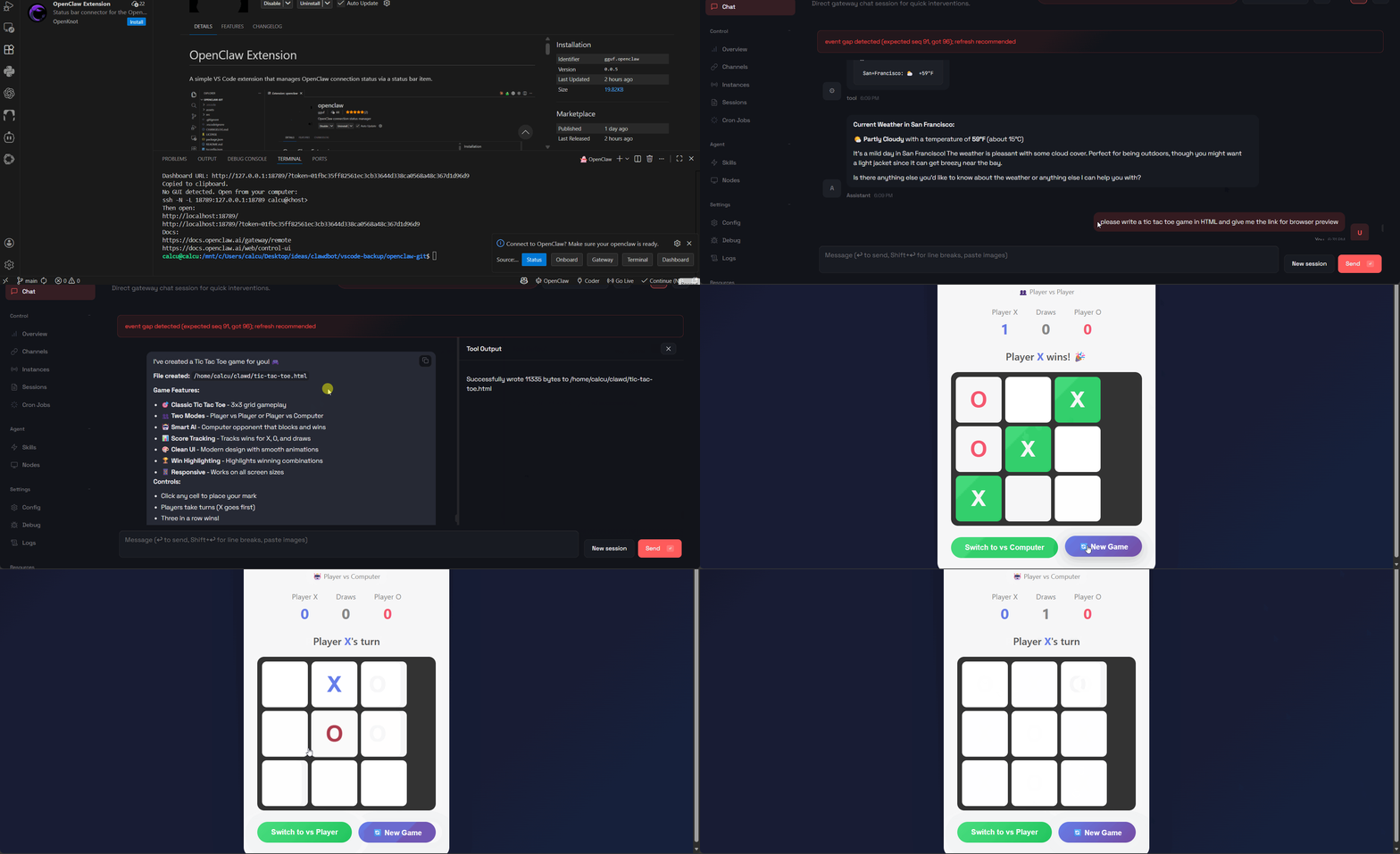 |
| *code a tic tac toe game (allows two players or playing against an AI) |
|
|
| ## License |
| MIT |
|
|
| ## alternatively opt to run `openclaw` with `gguf-connector` |
| ``` |
| ggc oc |
| ``` |
|
|
|  |