

HEARTS
Collection
LLM Reasoning on Health Time Series • 2 items • Updated • 1
Need help to make the dataset viewer work? Make sure to review how to configure the dataset viewer, and open a discussion for direct support.
YAML Metadata Warning:empty or missing yaml metadata in repo card
Check out the documentation for more information.



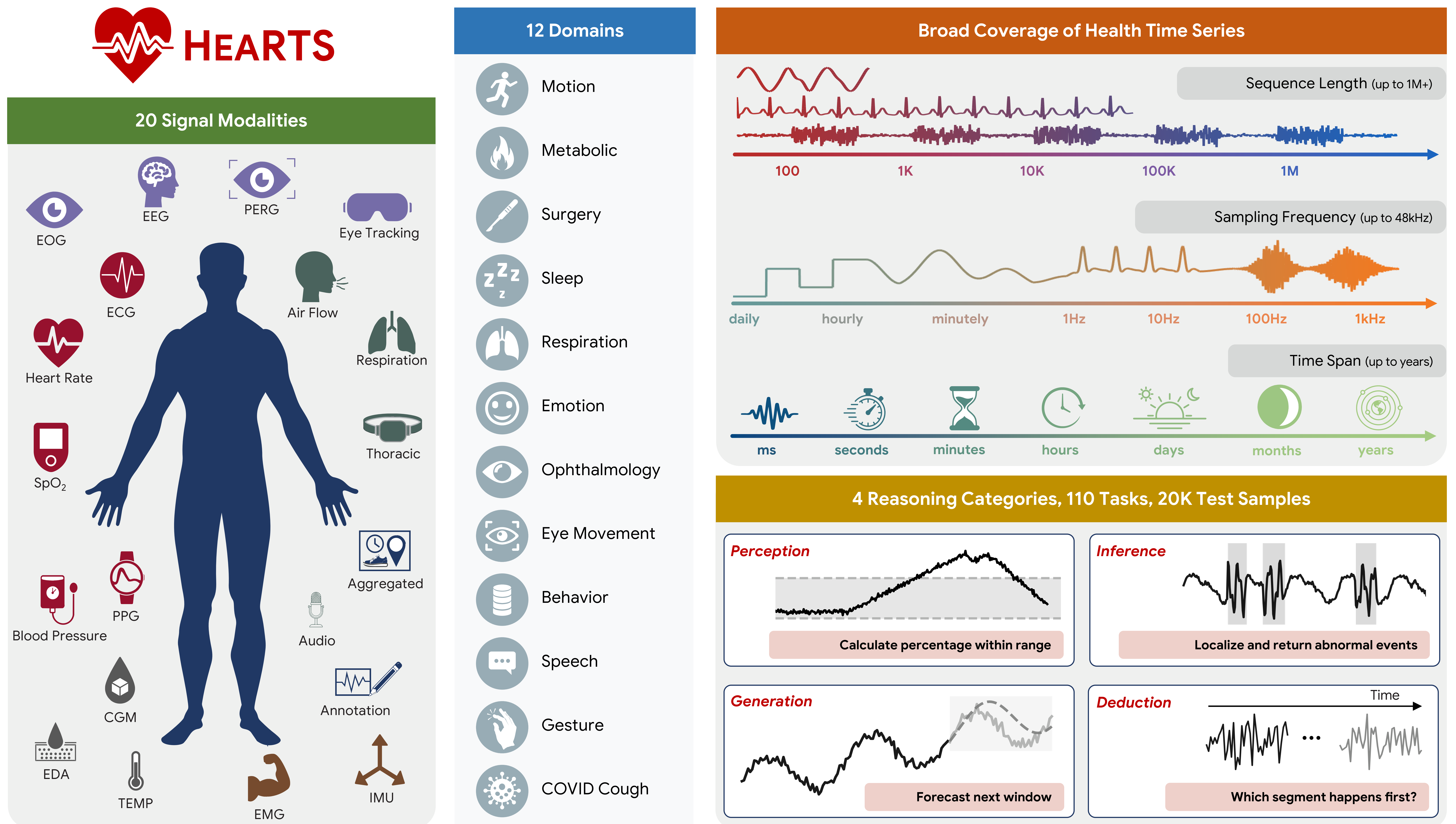
This repository hosts the fixed ("frozen") test cases used by the HEARTS benchmark. Each file is a Python pickle (.pkl) containing one test-case payload.
All samples follow this pattern:
<dataset>/<task>/*.pkl
Example:
<root>/
  cgmacros/
    cgm_stat_calculation/
      0.pkl
      1.pkl
  vitaldb/
    some_task/
      0.pkl
Conventions:
<dataset>: dataset identifier (e.g., cgmacros, vitaldb)<task>: task identifier within that datasetN.pkl: N-th fixed test case for that dataset/taskOption A: Clone (recommended for binary files; may require Git LFS)
git lfs install
git clone https://huggingface.co/datasets/yang-ai-lab/HEARTS
Option B: Download programmatically (Python)
from huggingface_hub import snapshot_download

local_dir = snapshot_download(
    repo_id="yang-ai-lab/HEARTS",
    repo_type="dataset",
)
print("Downloaded to:", local_dir)
Tip: Download only a subset via allow_patterns (reduces disk/network)
from huggingface_hub import snapshot_download

local_dir = snapshot_download(
    repo_id="yang-ai-lab/HEARTS",
    repo_type="dataset",
    allow_patterns=[
        "cgmacros/cgm_stat_calculation/*.pkl",
    ],
)
print("Downloaded to:", local_dir)
In the HEARTS codebase, the root directory you downloaded/cloned is the fix_test_cases_dir.
uv run run_exp_freeze.py \
  --fix-test-cases-dir /path/to/HEARTS \
  --dataset-name cgmacros \
  --task cgm_stat_calculation
Security note: Python pickles can execute code when loaded. Only unpickle files you trust.
import pickle
from pathlib import Path

root = Path("/path/to/HEARTS")
sample_path = root / "<dataset>" / "<task>" / "0.pkl"

with sample_path.open("rb") as f:
    obj = pickle.load(f)

print(type(obj))
print(obj)
List available datasets/tasks:
from pathlib import Path

root = Path("/path/to/HEARTS")

for dataset_dir in sorted([p for p in root.iterdir() if p.is_dir()]):
    task_dirs = sorted([p for p in dataset_dir.iterdir() if p.is_dir()])
    print(dataset_dir.name, "tasks:", [p.name for p in task_dirs])